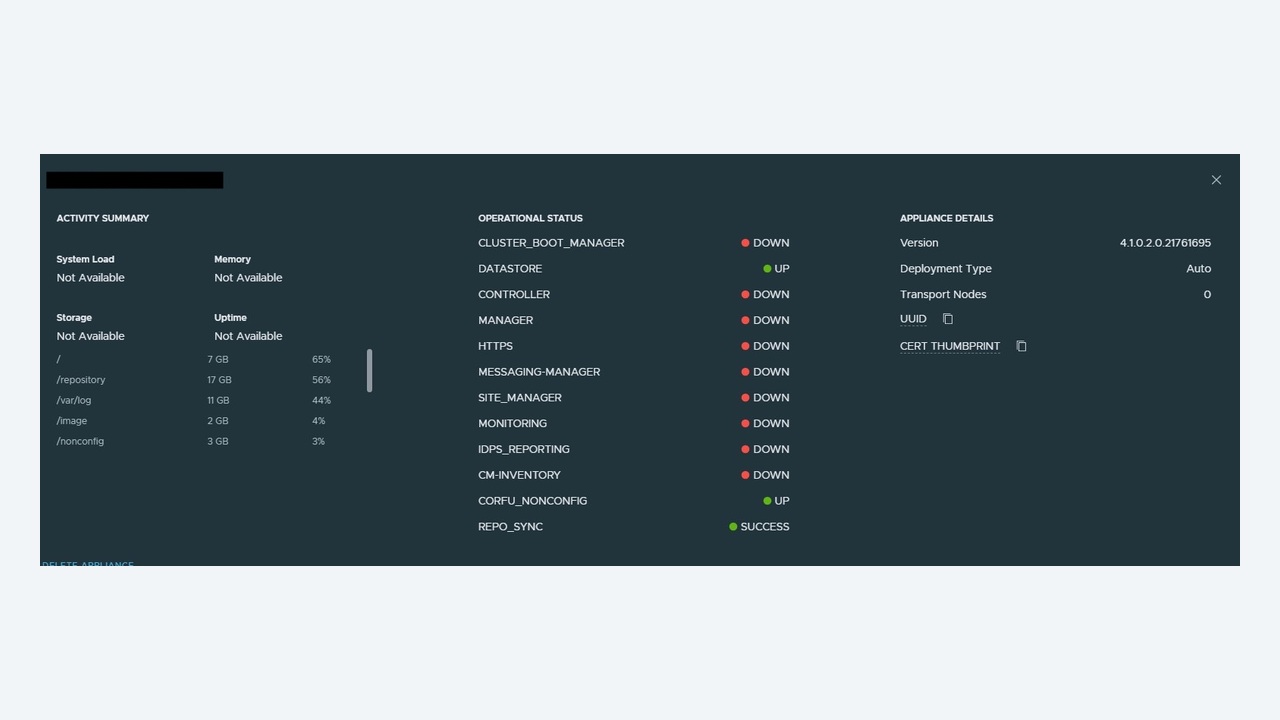
"Virtual machine disks consolidation is needed" is a warning that too many teams learn to ignore, until a datastore fills up at 2am and every VM on it stuns. Snapshot and consolidation problems are entirely predictable once you understand what a snapshot actually is on VMFS or NFS, and they are preventable with a few operational habits. This article covers the disk chain mechanics, safe diagnosis, consolidation failure causes, and the recovery procedures – including what to do when a VM has been running on delta disks for months.
What a snapshot really creates
Taking a snapshot does not copy the VM. It freezes the current virtual disk (vm-flat.vmdk) read-only and creates a child delta disk (vm-000001-delta.vmdk) that receives all new writes. Take another snapshot and you get a second delta chained onto the first. Reads must traverse the chain; writes land at the tip. Three consequences follow:
- Performance degrades with chain depth – each delta adds metadata lookups, and delta disks grow in 16MB grain increments.
- Space consumption is unbounded – a delta can grow to the full size of the base disk, plus overhead. A 2TB VM with three snapshots can consume 8TB.
- Deleting a snapshot is a write-heavy operation – the delta must be merged back into the parent, which needs both IO and free space.
Memory snapshots add a .vmsn file the size of configured RAM, which is why "snapshot with memory" on a 256GB SQL server is a decision, not a click.

Step 1: find out what is actually on disk
The inventory view lies more often than you would like – the snapshot manager can show "no snapshots" while delta files exist and grow. Always confirm from the host:
cd /vmfs/volumes/ds-prod01/web01
ls -lh
vmkfstools -q web01.vmdk            # shows the parent chain
grep -i parentFileNameHint web01-000003.vmdk
cat web01.vmx | grep -i scsi0:0.fileName
The .vmx line tells you which disk the VM is actually running on. If it names web01-000004.vmdk while the snapshot manager shows nothing, you have an orphaned chain that must be consolidated.
To find the problem estate-wide, PowerCLI is faster than clicking:
Get-VM | Get-Snapshot |
  Select VM, Name, Created, @{N='GB';E={[math]::Round($_.SizeGB,1)}} |
  Sort Created | Format-Table -AutoSize

Get-VM | Where-Object { $_.ExtensionData.Runtime.ConsolidationNeeded } |
  Select Name
Step 2: run consolidation the safe way
Before pressing Consolidate, satisfy three preconditions:
- Free space – at least as much free space on the datastore as the largest delta you are merging, with headroom. Check with
df -hon the host or the datastore summary. - A backup or replica – consolidation is a write operation on production data. Have a restore point that does not depend on the chain you are about to merge.
- A quiet window – merges cause IO stun. Modern ESXi uses mirror-mode consolidation which minimises stun, but a large chain on busy storage will still be felt.
Then right-click the VM → Snapshots → Consolidate, or from PowerCLI:
Get-VM web01 | Get-View | ForEach-Object { $_.ConsolidateVMDisks() }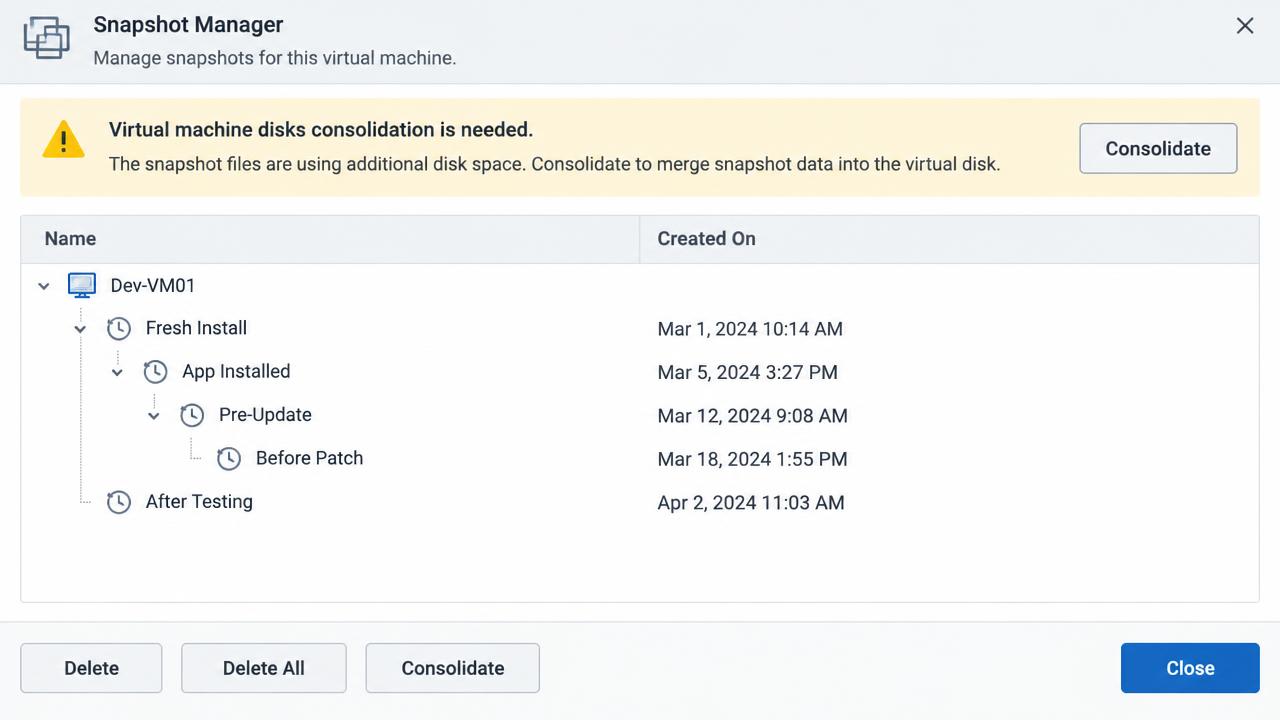
Step 3: when consolidation fails
The three errors you will meet, and their causes:
| Error | Cause | Fix |
|---|---|---|
| Unable to access file since it is locked | Another process holds the disk – usually a backup job, a hot-add proxy, or a stale lock from a crashed host | Identify and release the lock owner |
| Insufficient disk space on datastore | Merge needs working space | Free space, expand the datastore, or Storage vMotion the VM to a larger one |
| msg.snapshot.error-QUIESCINGERROR | Guest quiescing failed (VSS writer error inside Windows) | Fix VSS in-guest, or take a non-quiesced snapshot |
Finding and clearing a disk lock
vmkfstools -D /vmfs/volumes/ds-prod01/web01/web01-000003-delta.vmdk
# Note the "owner" MAC address in the output, then find the host:
esxcli network ip interface list | grep -i "MAC Address"

# On the owning host, find the process holding the file:
lsof | grep web01-000003
# Restart the management agents if the lock is stale:
/etc/init.d/hostd restart
/etc/init.d/vpxa restart
If the lock owner is a backup appliance that hot-added the disk, remove the stale disk from that appliance's configuration first – do not force anything while a backup job might still be writing.
The Storage vMotion trick
When consolidation fails repeatedly for space or IO reasons, a Storage vMotion to another datastore rewrites the VM into a single flat disk as part of the migration. It is often the least disruptive fix for a deeply nested chain, provided you have a target datastore with room.
Step 4: dealing with very old snapshots
A snapshot that has been open for months is a different risk profile. The delta may be larger than the base disk, and merging it can take hours of sustained IO. Practical approach:
- Measure the delta size and estimate merge time from the datastore's observed throughput.
- Verify the VM's application owner still needs the rollback point – usually they do not, and nobody has asked in six months.
- Schedule a proper window. Do not start a 900GB merge at 4pm on a Friday.
- Consider Storage vMotion instead of delete-all, which spreads the IO differently and often completes more predictably.
- Monitor progress with
ls -lhon the delta files – you should see them shrink or the base grow.
Step 5: prevent recurrence
- Alarm on snapshot age and size. Create a vCenter alarm, or a scheduled PowerCLI report, that flags any snapshot older than 72 hours or larger than 50GB.
- Alarm on consolidation needed. The
ConsolidationNeededflag is queryable and should page someone. - Set datastore free-space alarms at 20% and 10%, not just 5% – you need runway to merge.
- Review backup integration. Most backup products create and remove snapshots automatically; failed jobs are the number-one source of orphaned deltas. Alert on backup job failure, not just backup job success.
- Never use snapshots as backups. A snapshot depends on the same storage as the VM; it protects against a bad patch for a few hours, nothing more.
- Document a policy: snapshots taken for change windows must be named with a ticket reference and removed at the end of the window.
Quick command reference
# Chain inspection
vmkfstools -q disk.vmdk
ls -lh /vmfs/volumes/<ds>/<vm>/

# Lock inspection
vmkfstools -D file-delta.vmdk
lsof | grep <vmname>

# Estate report
Get-VM | Get-Snapshot | Where {$_.Created -lt (Get-Date).AddDays(-3)}
Get-VM | Where {$_.ExtensionData.Runtime.ConsolidationNeeded}
Snapshots are a precise tool with a short shelf life. Treated as a temporary change-control aid with monitoring behind them, they cause no trouble at all; treated as a filing system, they eventually take a datastore down with them.
Reading the disk chain in detail
When a chain is broken rather than merely long, you need to read the descriptor files directly. Each -00000N.vmdk is a small text descriptor pointing at its parent and its own -delta extent:
cat web01-000003.vmdk
# Look for:
#   parentFileNameHint="/vmfs/volumes/ds-prod01/web01/web01-000002.vmdk"
#   parentCID=1a2b3c4d
#   CID=5e6f7a8b
Two rules hold the chain together. The child's parentCID must equal the parent's CID, and the parentFileNameHint must point at a file that exists in the folder. A mismatch produces the familiar error "The parent virtual disk has been modified since the child was created", which usually appears after a restore that returned the base disk without its deltas, or after a host crash mid-merge.
Corrected CID values can be edited into the descriptor, but only with a full copy of the folder taken first and only when you are confident about which link is wrong. If the base disk genuinely changed – because something wrote to it – the delta is no longer valid data and restoring from backup is the correct answer, not descriptor surgery.
Space maths before you start a merge
Estimate rather than hope. For a chain of deltas totalling D gigabytes merging into a base of B gigabytes, plan for free space of at least the largest single delta plus 10-15% working room, and expect the merge to read and write roughly D gigabytes. On a datastore sustaining 200MB/s of spare throughput, a 400GB delta is roughly thirty-five minutes of continuous IO on top of production load – useful to know before you promise a fifteen-minute window.
df -h /vmfs/volumes/ds-prod01
du -sh /vmfs/volumes/ds-prod01/web01/*delta.vmdk
Backup products and the snapshots they leave behind
Image-level backup tools create a snapshot, read the frozen base, then remove the snapshot. Any interruption – a proxy losing its hot-added disk, a network timeout, a job cancelled mid-run – can leave the snapshot in place with no entry in the snapshot manager. The pattern to look for is a VM whose deltas grow steadily every night at the same time.
Practical controls: run the backup vendor's own snapshot-hygiene report if it has one, exclude VMs with very high change rates from aggressive schedules, and always resolve failed jobs the same day rather than letting a week of failures build a chain nobody notices. Where a proxy is left holding a hot-added disk, remove the disk from the proxy's settings before consolidating, or the merge will fail on a lock every time.
A weekly hygiene routine
- Report all snapshots older than three days with their size and creator, and chase each one to an owner.
- Report every VM with the consolidation-needed flag and clear them in the next available window.
- Review datastores below 20% free and plan capacity before they reach the merge-blocking threshold.
- Confirm backup job success rate for the week, treating repeated failures as a snapshot risk rather than only a backup risk.
- Spot-check two or three busy VM folders for delta files that do not appear in the inventory.
Fifteen minutes a week on this routine removes the single most common cause of emergency datastore outages in vSphere estates.