Category

VMware

VMware is an enterprise Virtualisation platform designed to consolidate hardware and power. We look at VMware errors and solutions in this section.

31 articles

VMware vSphere 8 Software FCoE
VMware

Validation error when applying a host profile to a VMware ESXi 8.0 host using software FCoE.

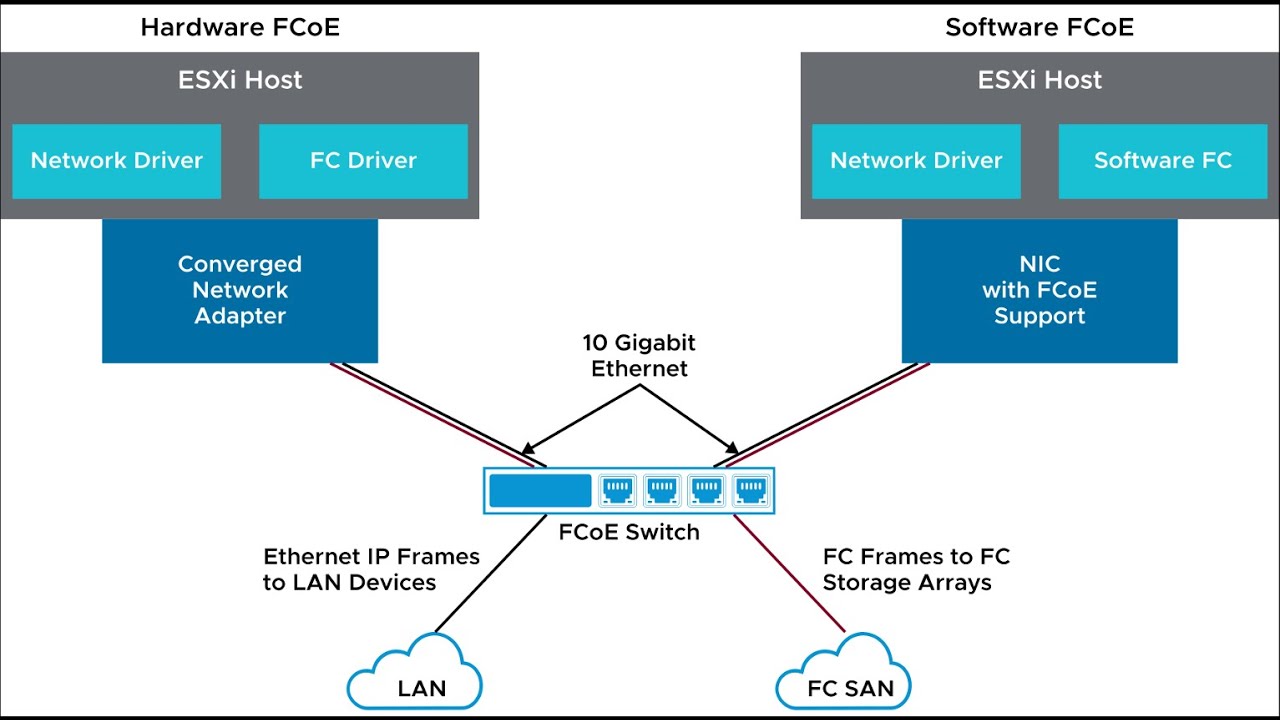
Fibre Channel over Ethernet (FCoE) is an industry-standard protocol used to consolidate data traffic in storage and networking environments. It provides a high-speed, low-latency way to transport data between servers and storage devices, while eliminating the need for separate networks dedicated to each type of traffic. In this article, we will discuss how VMware vSphere […]

10 Dec 20223 min

VMware vCenter 7 Services
VMware

Top 6 known bugs in VMware vSphere 7

The version of VMware vSphere 7 has been out for some time now, but it hasn’t been without its share of bugs. While many of these issues have already been resolved, there are still a few that remain and often re-appear in later releases. In this blog post, we’ll take a closer look at the […]

27 Nov 20225 min

VMware vSphere 7 Deprecated Features
ESXi

VMware vSphere 7 Deprecated Features, Plugins and Add-ons – Changes revealed

VMware has announced that VMware vSphere 7 will no longer support several VMware features, add-ons, and plugins. The deprecation of these features may come as a disappointment to some users; however, it is important to remember that VMware is constantly innovating and introducing new features to its product line. As such, the decision to deprecated […]

7 Oct 20225 min

VMware VNICS Down ESXi 8.0
VMware

What to Do When VMware VMNICs Go Down After an ESXi Upgrade

If you have recently upgraded your VMware ESXi system, you may be experiencing problems with VMNICs (virtual machine network interface cards) not working. This issue can occur when the new version of the hypervisor is incompatible with the existing hardware. Fortunately, there are ways to troubleshoot these issues and get your VMNICs up and running […]

27 May 20223 min

VM DRS Score vSphere 7
VMware

VMware vSphere 7 VM DRS Scores

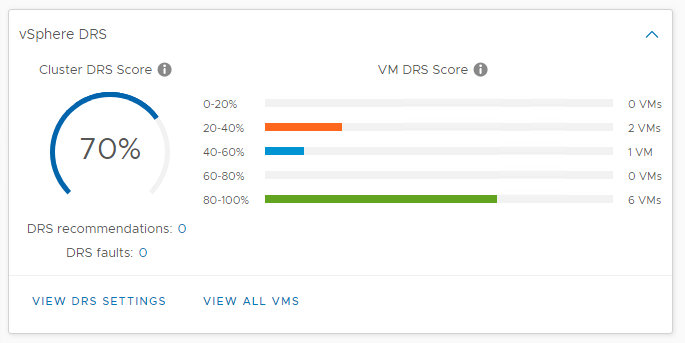
In previous vSphere versions, DRS used cluster-wide standard deviation model calculations to maximise workload ‘happiness’ as seen in the diagram below. In essence, this means that DRS based on the ESXi host usage baseline, a particular threshold range that can be adjusted using the DRS migration threshold. The re-vamped logic of the DRS takes a somewhat different approach from its predecessor. The new DRS logic quantifies virtual machine happiness by using the VM DRS score. First of all, let me stress that the VM DRS Score is not a health score for a virtual machine! It’s about the execution efficiency of a virtual machine (VM). The scores vary from 0 to 100 percent and are divided into buckets, 0-20 percent, 20-40 percent, and so on. Obtaining a VM DRS score of 80-100 percent suggests that there is little to no resource contention. It doesn’t inherently mean that a virtual machine in the 80-100 percent bucket is doing better than a virtual machine in the bottom bucket. That’s because there are a number of metrics that affect the score of the VM. Not only performance metrics are used, but capacity metrics are also incorporated into the algorithm. Performance drivers for the VM DRS score are contention dependent, using metrics such as CPU% Ready Time, good CPU cache behaviour, and memory swap. The reserve resource capacity or headroom of the current ESXi host is also taken into account to assess the VM DRS ranking. Would this virtual machine be able to burst resource usage on its current host and at what level? Goodness VM DRS Modelling The fundamental principle of the new logic of DRS is that VMs have the ideal throughput and true throughput for each resource (CPU, memory, and network). If there is no contention, the ideal throughput of the VM is equal to the real throughput. We care about resource contention when several VMs are in contention over access to a shared machine or network resource. Migration cost is also considered in this modelling.

8 Aug 20202 min

VMware vCenter 7 Infrastructure Profile Management
VMware

vCenter 7 Server Profiles – Infrastructure Profiles

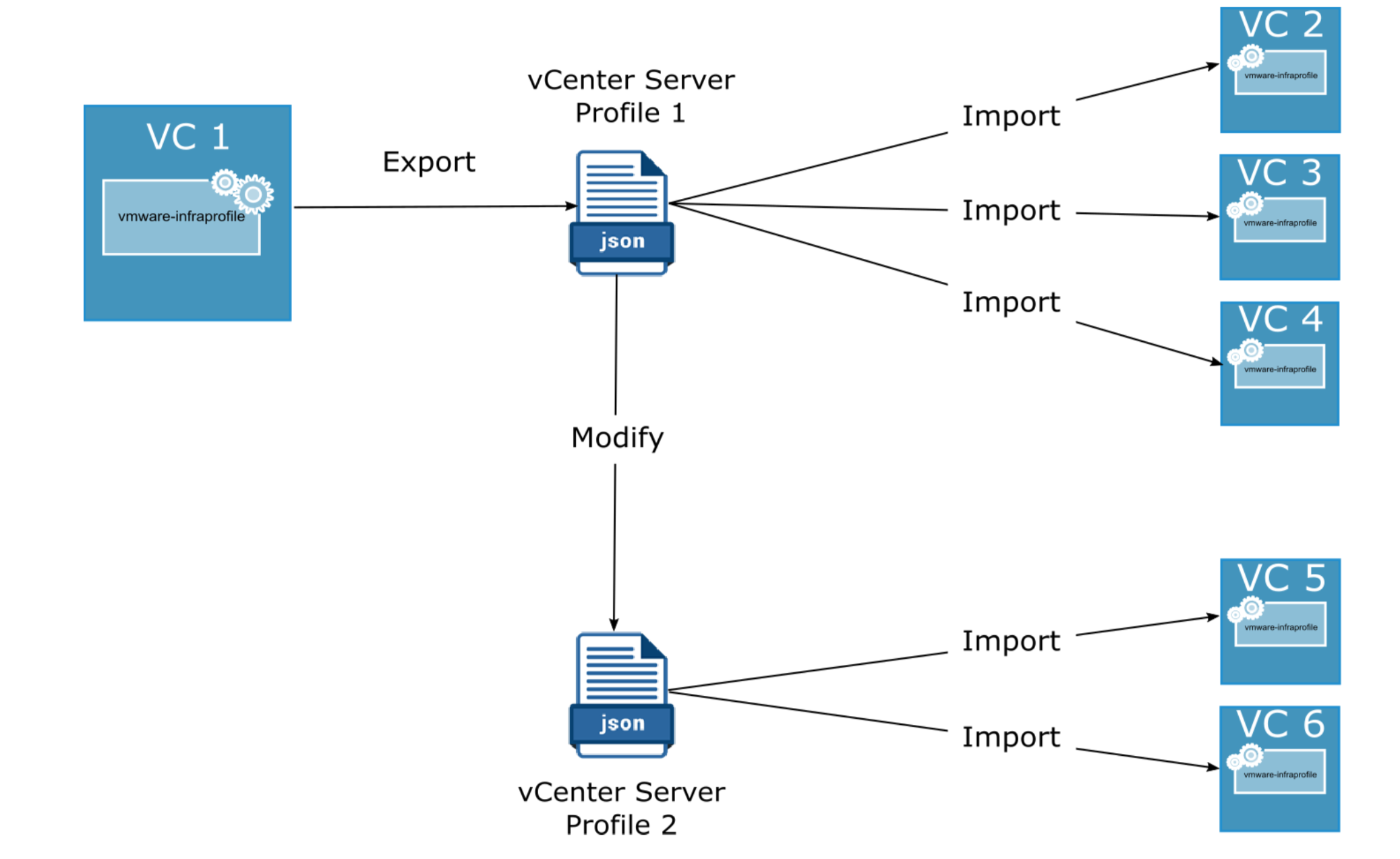
In vSphere 7.0, infrastructure profiles or also known as vCenter Profiles, allow you to eliminate configurations for vCenter Server and preserve configuration consistency across multiple vCenter Server instances. With vCenter Infrastructure Profile Management (IPM), you can export the existing configuration of the vCenter server and import the exported configuration information to another instance of a vCenter server. vCenter Infrastructure profiles have many advantages: Streamlined configuration and change management of VCenter Server instances Fast identification of non-compliance with standard configurations Automated remediation Export and import configuration of vCenter Server in a user-readable format. vCenter Infrastructure Profile Management (IPM) uses a modular web-based action platform. You can access IPM via an API package. IPM is an independent service within the VCenter Server Appliance and it runs under “vmware-infraprofile “ See other new vCenter 7 services. IPM offers the following interfaces to the API: List of items Exporting Validity Import Infrastructure Profiles is a JSON file, which includes configuration of the vCenter server. Managing the vCenter Infrastructure Profile Service: To see the […]

11 Jul 20201 min

VMware vCenter 7 Services
VMware

New services and how to start, stop and restart in VMware vCenter 7

Since the introduction of VMware vSphere 7, there a number of new services related to VMware vCenter Server 7. The syntax to start, stop or restart hasn’t changed at all. Let us remind you of the commands and highlight the new services, which are specific to VMware vCenter 7 version. To list the vCenter Server […]

4 May 20202 min

VMC on AWS
AWS

VMC on AWS: How to Export Firewall Rules from your SDDC

This KB article lists out steps to export firewall rules from your VMC on AWS SDDC. Solution Pre-Requisites: ORG ID = This can be found from the support tab of the VMC on AWS SDDC SDDC ID = This can be found from the support tab of the VMC on AWS SDDC O Auth Token […]

6 Nov 20191 min

VMware ESXi Restart Management Services
ESXi

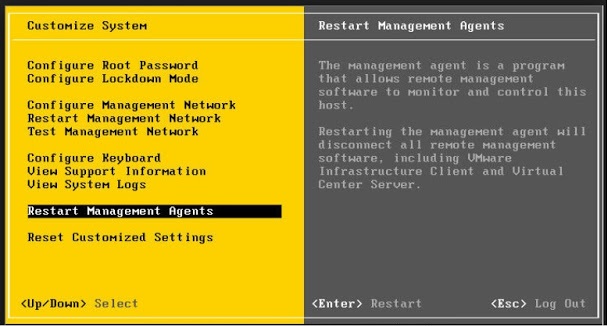
VMware ESXi – Restarting the Management agents

Symptoms Cannot connect directly to the VMware ESXi host or manage under VMware vCenter server. VMware vCenter Server displays the error: Virtual machine creation may fail because agent is unable to retrieve VM creation options from the host Purpose For troubleshooting VMware ESXi connectivity issue, restart the management agents on your VMware ESXi host.Warning: If […]

6 Nov 20193 min

VMware NSX API
NSX-V

How to create a NSX CLI user via API

There are no option to create CLI users within NSX Manager UI. So only option is to do this via API. There are several reasons why you might want to do this: RBAC for each person login in via SSH. Monitoring solution that might need to query using CLI commands or check filesystem on appliance. […]

17 Aug 20192 min

NSX with vCloud Director
NSX-V

Upgrade NSX-V 6.2.8 to 6.4.x Unicast in a vCloud Director environment

When planning an upgrade of NSX in a vCloud Director environment, it isn’t always straight forward. For those who hasn’t used vCloud Director before, it is a solution by VMware to allow true multi-tenancy for Cloud Service Providers (CSP). It integrates and abstracts underlying resources with vCenter and NSX and all activities are done directly […]

28 Jul 20198 min

NSX DFW AutoSaved Rules
NSX-V

NSX Distributed Firewall (DFW) Auto Saved Rules Threshold 90% reached.

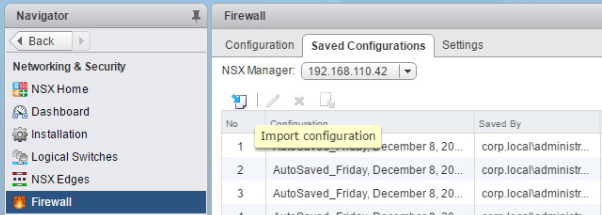
In NSX-V, you can save up to 100 distributed firewall configurations. This is done automatically every time you update rulesets and publish changes. Any configuration set that is set to be “preserved” will be kept and others will be removed. This functionality is an addition to NSX Backups which hare sent to a remote location […]

25 May 20191 min

JXplorer LDAP VMware connection
VMware

Licensable entity does not exist for VMware vCenter 6 VCSA

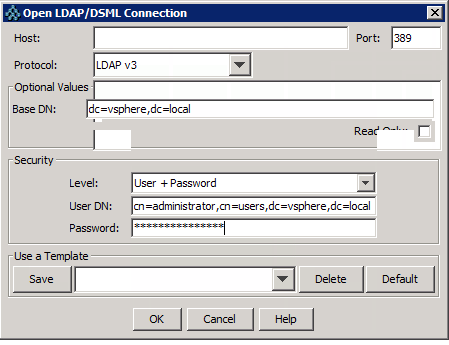
Licensable entity does not exist for VMware vCenter 6 appliance VCSA VMware VCSA Issue: Recently I had to rebuild a VMware vCenter 6 Appliance (VCSA) due to DNS name changes and schema. Following the re-install of VCSA 6.0 Update 1, I was not able to assign vCenter Server license key. The message was: “The following […]

14 Dec 20163 min

vCenter 6 upgrade check failed
VMware

vCenter upgrade failed Internal Error access denied

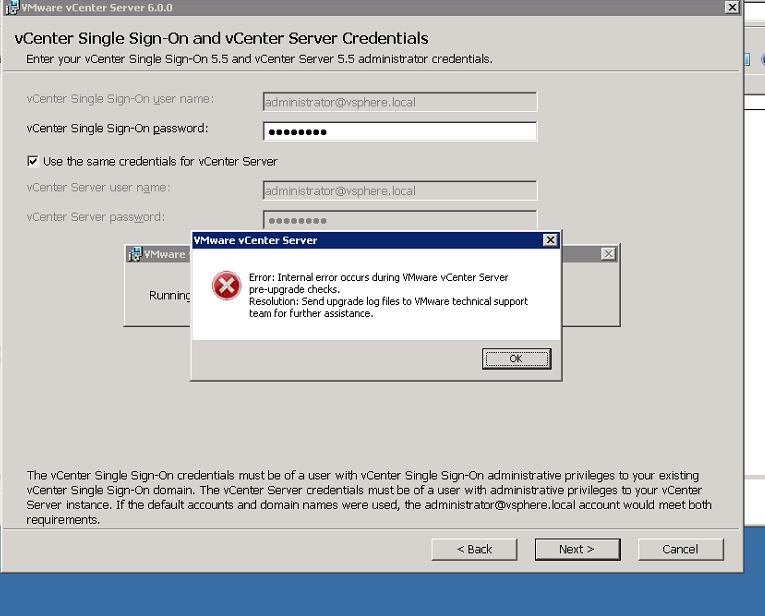
I was trying to upgrade vCenter 5.5 U2 to VMware vCenter 6 U1 using mounted ISO. During the pre-upgrade check, it threw an error stating “Internal Error” and asked me to contact VMware support. When you cancel it, it gives you the log bundle for that upgrade. When I reviewed the vcsUpgrade folder, I found […]

27 May 20162 min

Deprecated VMFS Volumes found on the Host Vsphere ESXi 6
VMware

Deprecated VMFS Volumes found on host vSphere 6

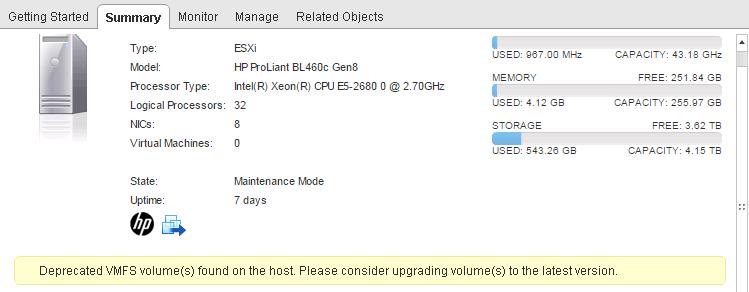
I recently encountered a warning prompt which said “Deprecated VMFS Volumes found on host” in VMware vSphere 6 ESXi installation. This error cropped up after I added a new shared LUN or datastore. Originally it just had a boot lun from the SAN and then now a new shared VMFS volume. So I was baffled […]

25 Jan 20162 min

quickstats-configuration-issues
VMware

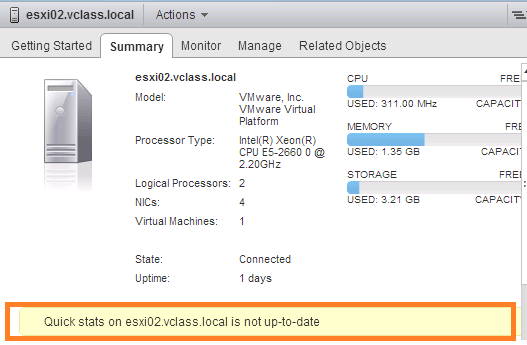
Quick stats is not up-to-date Configuration issues ESXi

You probably either just upgraded your ESXi or installed it fresh and now you are seeing a quick stats not up-to-date warning message within VMware vCenter 5.5 or 6.0 version. Quick Stats is not up-to-date I was doing a new deployment where this error only appeared after a shared VPLEX datastore was presented to the […]

25 Jan 20163 min

Storage vMotion
VMware

VMware Storage vMotion fails with the method is disabled by

VMware Storage vMotion fails with the method is disabled by VM-ID. In vSphere Client, you see the errors: The method is disabled by ‘_DP-VEPA_BACKUP_RESTORE_LOCK_’ Error Stack Call “VirtualMachine.Relocate” for object “VM-NAME” on vCenter Server “vCenter-Name” failed The method is disabled by ‘SYMC-INCR dd-mm-yyyy hh:mm’ Error Stack Call “VirtualMachine.Relocate” for object “VM-NAME” on vCenter Server “vCenter-Name” […]

30 Apr 20142 min

VMware VMRC console
VMware

VMware VMRC Web client connection time out for VM console

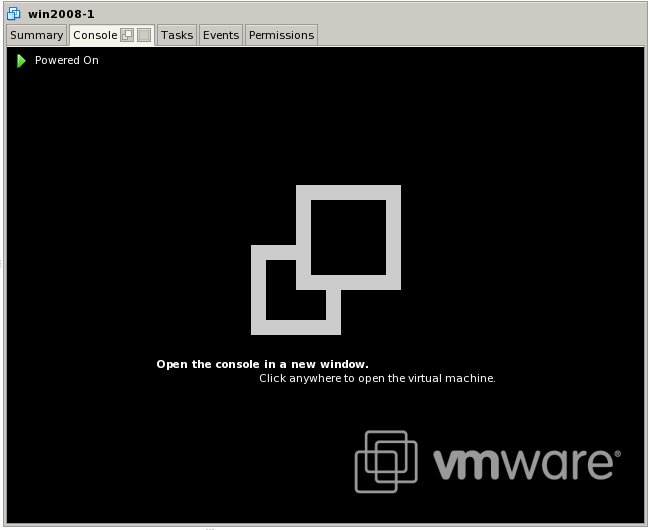
VMware VMRC Web client connection time out for VM console After the installation of VMware 5.5 we tried to use the web client to access the console of one of the VM. The plugin kept on saying connection timeout. However, if we RDP to the vCenter server and launch it locally it worked fine. So […]

30 Apr 20141 min