The NSX distributed firewall is enforced in the hypervisor, at the virtual NIC of every workload. That is what makes micro-segmentation powerful, and it is also why troubleshooting it feels different from troubleshooting a perimeter firewall: there is no single device to log into, the rule set is distributed to hundreds of hosts, and the rule that dropped your packet may not be the rule you are looking at in the UI. This guide gives you a repeatable method for finding out exactly which DFW rule handled a flow and why.
Understand what gets enforced where
The published policy is compiled per host into filters attached to each vNIC. Three things determine whether a rule affects your VM:
- Rule order within the section, and section order within the policy. First match wins; processing stops there.
- Applied To – if a rule is applied to a group your VM is not in, the rule is never pushed to that vNIC's filter at all.
- Group membership – dynamic membership based on tags, VM name or OS is evaluated by the manager and pushed down. A VM that was recently retagged may not yet be in the effective list.
Step 1: does the host actually have the rule?
Start on the ESXi host running the source VM. Find the filter name for the vNIC:
summarize-dvfilter | grep -A 5 web-01
vsipioctl getfilters
The filter name looks like nic-123456-eth0-vmware-sfw.2. Now dump the rules that are really loaded for that vNIC:
vsipioctl getrules -f nic-123456-eth0-vmware-sfw.2If the rule you expect is not in that output, stop troubleshooting the rule and start troubleshooting publication. Common reasons:
- The rule's Applied To excludes this VM.
- The VM is in the exclusion list (Security → Settings → Excluded VMs). Management appliances often are, and people forget.
- The policy was saved as a draft and never published.
- The host has lost control plane connectivity, so it is running a stale rule set.
Step 2: resolve the group to real addresses
Most “the rule does not work” tickets are group membership problems. Check what the host thinks the group contains:
vsipioctl getaddrsets -f nic-123456-eth0-vmware-sfw.2This prints the address sets referenced by the compiled rules. If your database VM's IP is not in the set that the rule uses, the rule cannot match it. Then verify why:
- Tag-based groups: confirm the tag and scope exactly –
env=prodis not the same asEnv=Prod. - IP discovery: NSX learns VM IPs through VMware Tools, DHCP snooping or ARP snooping. A VM with a static IP and no VMware Tools may have no discovered address, so it never lands in an IP-based set. Fix by installing Tools or enabling ARP snooping in the IP Discovery profile.
- Multiple vNICs: a VM with a second interface on another segment may be matching on an address you did not intend.
Step 3: watch the packet with live traces
Two tools answer “which rule dropped this?” definitively.
Traceflow
In Plan & Troubleshoot → Traceflow, inject a synthetic packet from source vNIC to destination and read the hop list. Traceflow names the exact DFW rule ID that delivered or dropped the packet at both the source and destination filters. Remember that a flow can be allowed leaving the source and dropped arriving at the destination – the DFW is enforced in both directions, and asymmetric rule sets are the single most common micro-segmentation mistake.
Live packet capture at the filter
pktcap-uw --switchport 67108884 --capture PreDVFilter -o /tmp/pre.pcap
pktcap-uw --switchport 67108884 --capture PostDVFilter -o /tmp/post.pcap
A packet present in the pre-filter capture and absent from the post-filter capture was dropped by the DFW, full stop. That single comparison ends a lot of arguments with application teams who insist the firewall is innocent.
Step 4: turn on logging, but scope it
Enable logging on the specific rule under investigation (and on the default rule, temporarily), then read the host log:
tail -f /var/log/dfwpktlogs.logA typical entry contains the rule ID, action, protocol and five-tuple:
INET match DROP 1031 IN 60 TCP 10.10.20.15/51234->10.10.30.22/1433Search that rule ID in the UI to find the offending rule. Two cautions: never leave logging on for a high-volume allow rule – it fills the host log partition quickly – and remember that the default rule logs under its own ID, which is how you spot flows nobody wrote a rule for.
Step 5: the classics
| Symptom | Usual cause | Fix |
|---|---|---|
| Rule works one way only | Return traffic hits a stricter rule at the destination filter | Check rules on both vNICs; rely on stateful matching rather than mirrored rules |
| Rule ignored entirely | VM in the exclusion list or Applied To mismatch | Remove from exclusion list, widen Applied To |
| Works after VM reboot only | IP discovery had no address until Tools started | Enable ARP/DHCP snooping in the IP Discovery profile |
| Intermittent drops under load | Connection table exhaustion or stateful timeout too short | Review vsipioctl getflows, tune session timers for long-lived idle flows such as database connections |
| Everything blocked after publish | Default rule changed to Drop before allow rules existed | Roll back the policy draft, build allow rules first, tighten the default last |
Idle timeouts: the silent application breaker
The DFW is stateful. A TCP session with no traffic is removed from the flow table after the configured idle timeout (3600 seconds by default for established TCP). Applications that hold an idle database connection for two hours and then reuse it will see a black hole: the client believes the socket is open, the firewall has forgotten it, and the packet is dropped as not matching an existing session. The correct fix is TCP keepalives in the application or a session timer profile applied to those specific workloads – not a blanket increase for the whole estate.
A method you can hand to a junior engineer
- Identify the source and destination VMs, their hosts and their IPs.
- Run Traceflow between them. Note the rule ID at every hop.
- If Traceflow passes but real traffic fails, capture pre and post filter on the source, then on the destination.
- If the rule you expect is missing from
vsipioctl getrules, investigate publication, exclusion list and Applied To. - If the rule is present but not matching, dump address sets and verify group membership and IP discovery.
- Only then change a rule – and record the rule ID in the ticket.
Design habits that reduce incidents
Use tag-based groups rather than IP sets so that membership follows the workload. Keep an explicit, logged “catch-all deny” at the bottom of each environment's policy so unexpected flows are visible instead of silently dropped by the global default. Build policies per application with a consistent section naming convention, so the rule ID in a log line maps to an owner. And before any tightening change, run the intended flows through Traceflow – it costs two minutes and prevents the outage.
Reading the compiled rule output
The output of vsipioctl getrules looks unfriendly at first, but it is the ground truth and worth learning to read:
ruleset domain-c8 {
  # Filter rules
  rule 1031 at 3 inout protocol tcp from addrset src1031 to addrset dst1031 port 1433 drop with log;
  rule 1024 at 4 inout protocol any from any to any accept;
}
Each line gives the rule ID, its position, direction, protocol, source and destination address sets, action and whether logging is enabled. Two details matter most. First, at N is the evaluation order on this host – if a broad allow sits above your specific drop, the drop never runs. Second, the address set names are pointers; you must expand them with getaddrsets to see the real IPs. A rule that looks correct but references an empty address set matches nothing at all, which is exactly the failure mode that sends engineers in circles.
Stateful inspection, ALGs and the protocols that need help
The DFW tracks connection state, so a permitted outbound TCP session automatically allows return traffic. That breaks down for protocols that negotiate secondary channels. Active-mode FTP opens a separate data connection from the server back to the client; TFTP and some SIP and RPC implementations behave similarly. Where the relevant ALG is not in play, you must permit the secondary flow explicitly or switch the application to passive mode.
Inspect current sessions on the host to see what state the firewall holds:
vsipioctl getflows -f nic-123456-eth0-vmware-sfw.2A flow that exists in the table but shows no packet growth is being dropped after establishment – usually an application problem, not a firewall problem, and the capture comparison in the previous section will prove it either way.
When the DFW is not the culprit
Before escalating a micro-segmentation problem, rule out the neighbours that produce identical symptoms:
- Guest OS firewall. Windows Defender Firewall blocking a port looks exactly like a DFW drop from the client side. Check inside the guest first – it costs thirty seconds.
- Gateway firewall. North-south flows also traverse the Tier-0 or Tier-1 gateway firewall, which is a separate rule set with separate logs.
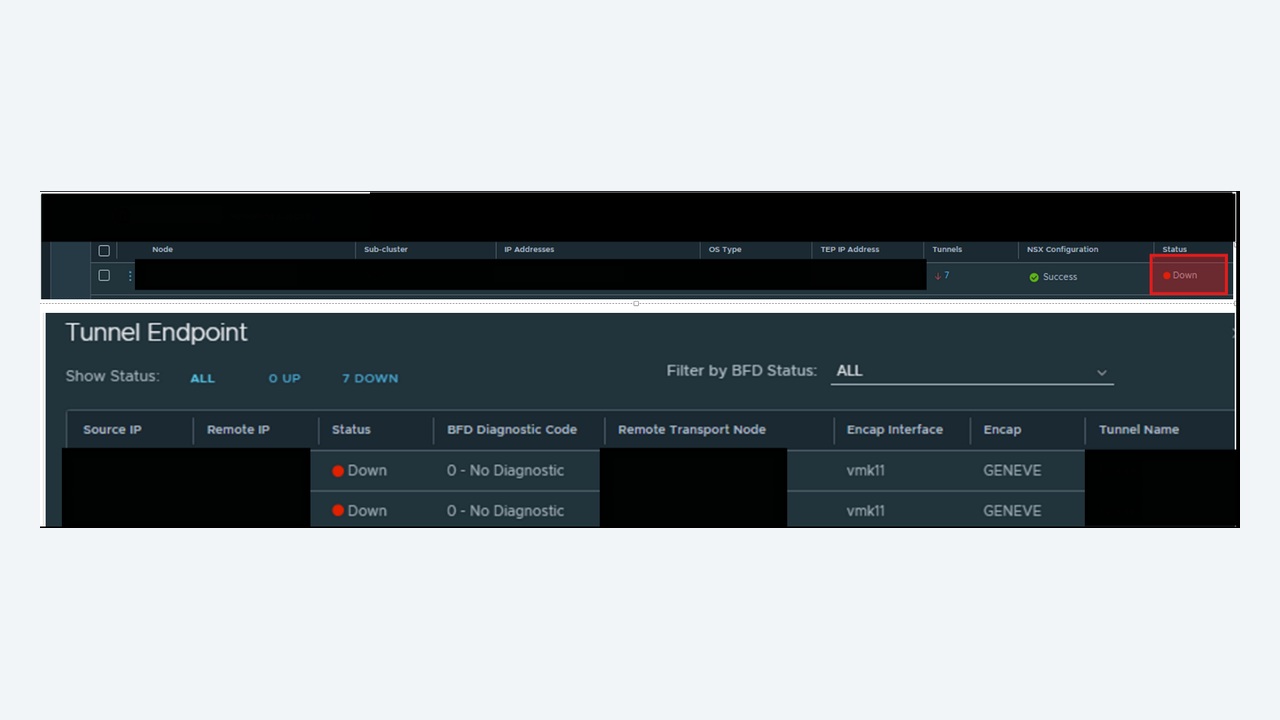
- Overlay faults. A tunnel problem drops traffic between hosts regardless of policy. If two VMs on the same host communicate but the same pair across hosts does not, look at the overlay, not the firewall.
- Service insertion. If traffic is redirected to a partner service, the drop may happen in the service VM rather than in the DFW.
Changing rules without causing an outage
Use the draft and publish model deliberately. Build the change as a draft, review the diff, and publish in a window. Before tightening a default rule, run the environment for a period with a logged catch-all rule in place and analyse dfwpktlogs.log for flows that would be denied – this “log first, enforce later” approach turns micro-segmentation from a risky project into a measurable one.
Keep an eye on the rule count per host too. Very large policies with wide Applied To scopes push every rule to every vNIC, increasing memory use and making troubleshooting harder. Scoping rules to the groups they concern keeps the compiled filter small, which improves both performance and your ability to read getrules output when something breaks.
Evidence to collect before opening a support case
If you do need vendor help, gather this up front: the source and destination VM names, hosts and IPs; the output of getfilters, getrules and getaddrsets for the source vNIC; a Traceflow result; pre and post filter captures; the relevant dfwpktlogs.log extract with the rule ID; and a support bundle from the host and the manager taken while the problem is live. A case opened with that set is usually resolved in one exchange rather than five.