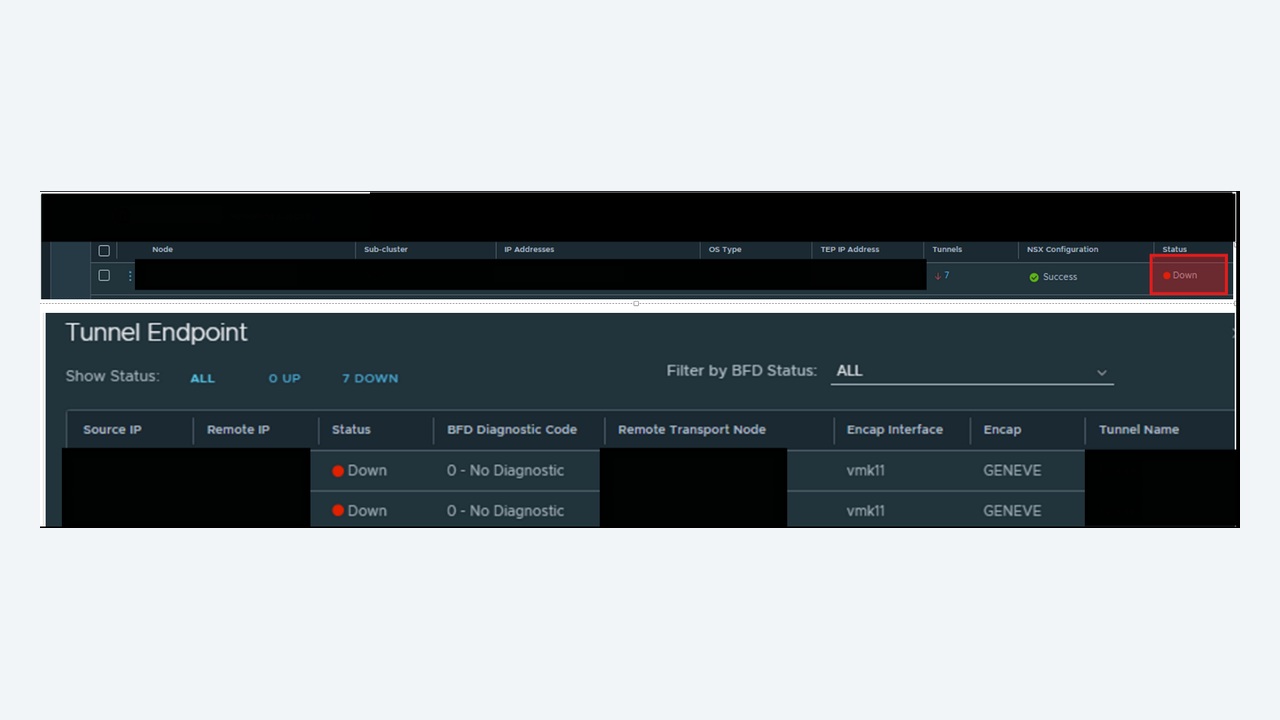
Nothing empties a change window faster than a pair of ESXi hosts that refuse to form a Geneve tunnel. The virtual machines look healthy, the segments are realised, NSX Manager is green – and yet a VM on host A cannot reach a VM on host B that sits on the same overlay segment. In almost every case the answer lives in three places: the tunnel state on the transport node, the MTU on the physical fabric, and the TEP IP addressing. This guide walks the whole path from symptom to root cause.
How the Geneve data path actually works
NSX encapsulates east-west overlay traffic in Geneve (Generic Network Virtualization Encapsulation) on UDP port 6081. Each prepared transport node owns one or more Tunnel Endpoints (TEPs) – VMkernel interfaces created from an IP pool or DHCP and attached to a transport VLAN. When VM1 on host A sends a frame to VM2 on host B:
- The distributed virtual switch looks up the destination MAC in the VNI's MAC table.
- The frame is encapsulated with an outer IP header (source TEP, destination TEP), an outer UDP header (dport 6081) and the Geneve header carrying the VNI plus metadata.
- The physical fabric forwards the packet as ordinary routed or switched traffic between the TEP subnets.
- Host B decapsulates and delivers the inner frame to VM2.
Because the outer header adds roughly 50 bytes on top of the inner frame, a standard 1500-byte guest MTU needs at least 1600 bytes end to end on the transport VLAN. This single fact causes more “tunnel down” tickets than every other cause combined.
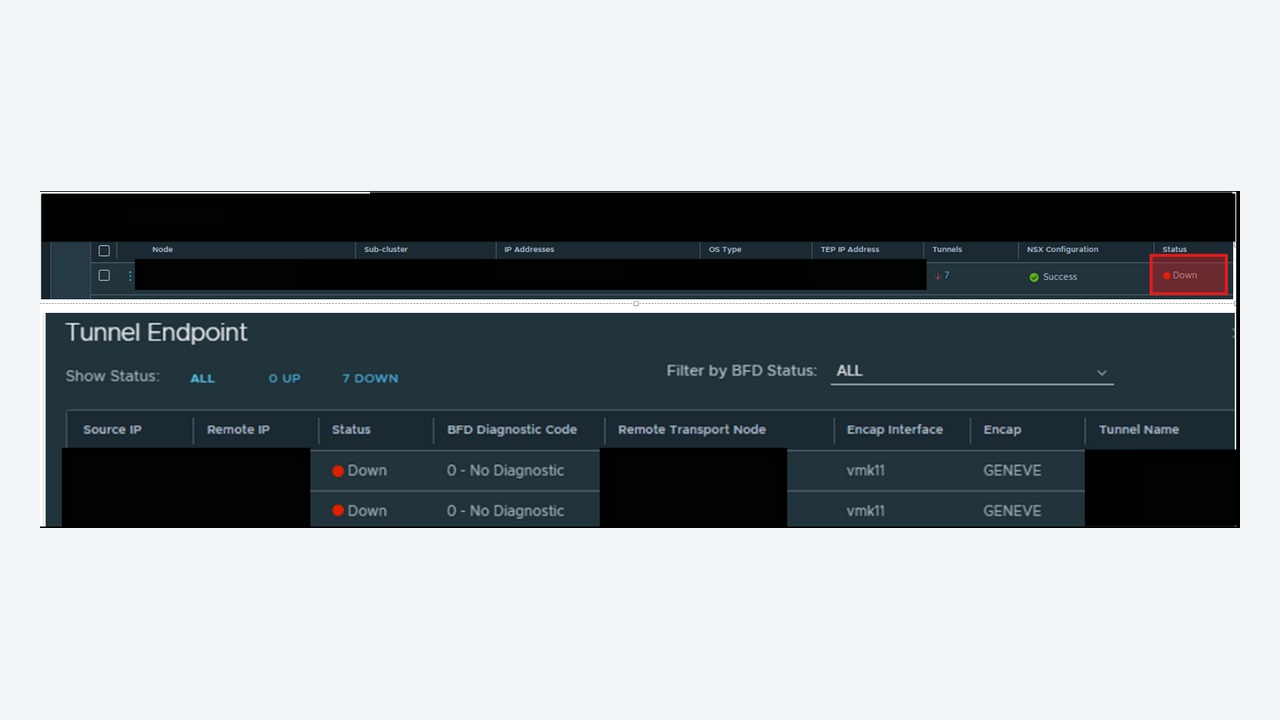
Step 1: confirm the tunnel state, do not trust the alarm
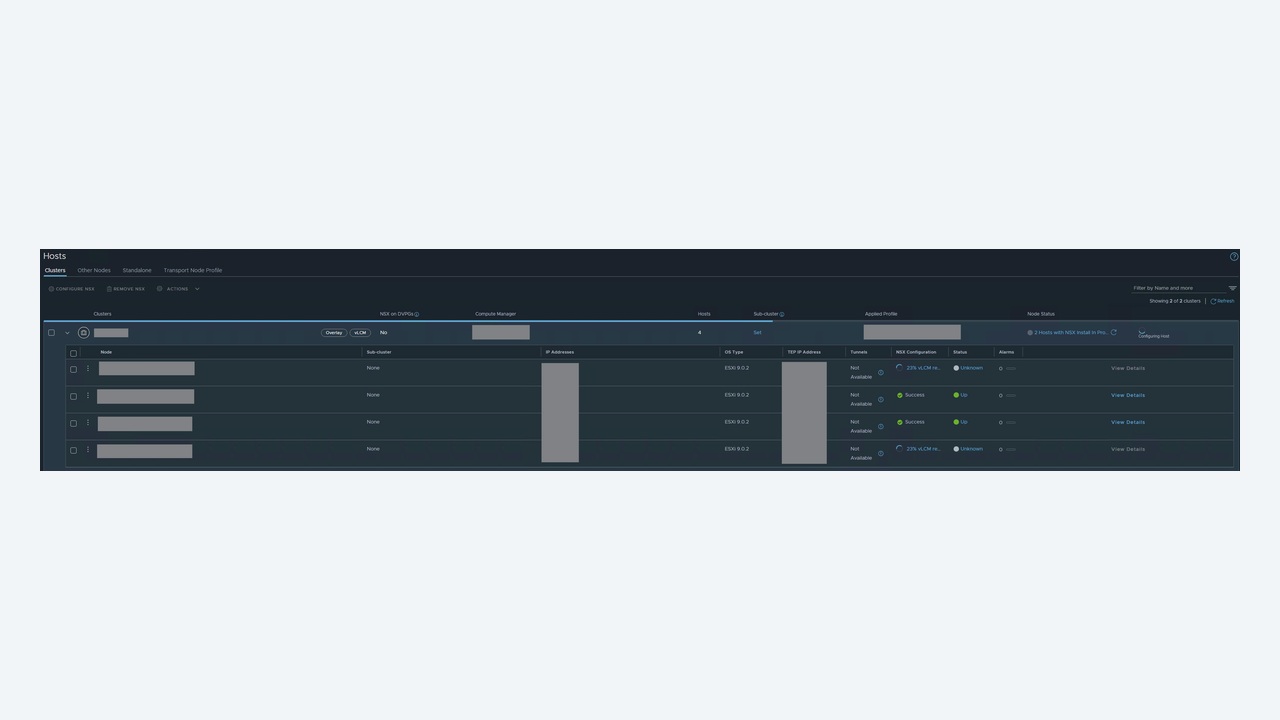
From NSX Manager check System → Fabric → Nodes → Transport Nodes and open the Tunnels tab, but always verify on the host itself. SSH into the ESXi transport node and run:
esxcli network ip interface ipv4 get -i vmk10
net-vdl2 -l
esxcfg-vmknic -l | grep vxlan
On the NSX Edge or a KVM node, the equivalent is:
get tunnel-ports
get tunnel <tunnel-id> status
get logical-switch <vni> mac-table
Record whether all tunnels from the host are down or only those to one peer. That single observation splits the problem in half:
| Observation | Most likely cause |
|---|---|
| All tunnels from one host down | TEP vmk missing, wrong VLAN on the uplink profile, IP pool exhausted, host uplink failure |
| Tunnels down only between two racks | Routing between TEP subnets, MTU mismatch on an inter-switch link, firewall blocking UDP 6081 |
| Tunnels flapping | BFD timing out under load, duplicate TEP IP, LAG hashing sending BFD down a dead member link |
| Only Edge tunnels down | Edge TEP VLAN not trunked to the Edge uplink, Edge TEP in the same subnet as host TEP with no routing |
Step 2: prove TEP to TEP reachability at the right packet size
This is the definitive test. From the ESXi host, ping the remote TEP through the TEP stack with the don't-fragment bit set and a payload of 1572 bytes (1572 + 28 bytes of headers = 1600):
vmkping ++netstack=vxlan -I vmk10 -d -s 1572 10.20.30.42Interpret the result carefully:
- Success at 1572 but tunnels still down – the transport path is fine; move to BFD and configuration state.
- Success at small sizes, failure at 1572 – classic MTU problem. Something in the path is at 1500. Walk the physical links: host uplink, top-of-rack access port, inter-switch links, and any routed hop between racks. All of them need
mtu 9000(or at minimum 1600). - Failure at all sizes – layer 3 reachability or VLAN problem. Check that the uplink profile transport VLAN matches the trunk configuration, and that the TEP gateway responds.
- No response but the remote host sees the request – asymmetric routing or an ACL dropping UDP 6081 in one direction.
Do not forget the ++netstack=vxlan argument. Ping without it and you test the management stack, which is a completely different path and gives a false pass.
Step 3: BFD, the thing that actually declares the tunnel down
NSX runs Bidirectional Forwarding Detection between TEPs to decide tunnel liveness. If BFD packets are lost, the tunnel is marked down even when data traffic could flow. On the Edge:
get bfd-config
get bfd-sessions
get bfd-sessions stats
Frequent causes of BFD loss that have nothing to do with MTU:
- Physical NIC saturation or ring buffer drops. Check
esxcli network nic stats get -n vmnic2for rx_missed_errors and increase ring buffers withesxcli network nic ring current set -n vmnic2 -r 4096. - LACP hashing. A LAG member that is up at layer 1 but black-holing traffic will drop the BFD flow while other flows work. Test by shutting individual member ports.
- Duplicate TEP IP. An IP pool reused across two NSX environments, or a static entry that overlaps, produces intermittent flapping. Check for MAC moves on the top-of-rack switch for the TEP address.
- CPU contention on the Edge VM. An Edge without a reservation on a heavily overcommitted host will miss BFD intervals under load. Reserve CPU and memory for Edge VMs, always.
Step 4: check the control plane, not just the data plane
A healthy tunnel with no MAC or ARP entries still breaks VM traffic. Confirm the host is connected to the control plane:
esxcli network ip connection list | grep 1235
get controllers
get logical-switch <vni> arp-table
TCP 1235 to the manager nodes carries the control plane; TCP 1234 was used by older releases. If the connection is missing, verify the nsx-proxy service on the host (/etc/init.d/nsx-proxy status) and the certificate trust between host and manager. A host whose certificate has expired stays “up” in vCenter and quietly loses control plane sync.
Step 5: verify configuration, in this order
- Transport zone membership. Both hosts must be in the same overlay transport zone; a VM segment attached to a zone one host is not in will never form the path.
- Uplink profile. Transport VLAN, teaming policy and MTU must match the physical trunk. A mismatch between a failover-order profile and an LACP port channel silently breaks a subset of flows.
- TEP IP pool. Exhausted pools are common after cluster expansion – hosts get prepared but never receive a TEP address.
- Host switch mapping. The vmnics assigned to the NSX host switch must be the ones trunking the transport VLAN.
Worked example: half a cluster loses overlay after a switch replacement
A four-host cluster: two hosts in rack A, two in rack B. After the network team replaced a top-of-rack switch in rack B, VMs in rack B could talk to each other but not to rack A. NSX showed the tunnels between racks as down and within racks as up.
Management pings between TEP subnets succeeded. vmkping ++netstack=vxlan -d -s 1572 failed between racks but succeeded inside a rack. The replacement switch had been built from a template with the default 1500-byte MTU on the uplink port channel. Setting mtu 9216 on the port channel and its member ports brought every tunnel up within thirty seconds – no NSX change at all.
The lesson is worth repeating: within-rack works, between-rack fails is an MTU signature until proven otherwise.
Fast triage checklist
| Check | Command | Expected |
|---|---|---|
| TEP interface exists | esxcfg-vmknic -l | vmk10 on the vxlan netstack with a pool address |
| TEP reachability at 1600 | vmkping ++netstack=vxlan -d -s 1572 <peer> | Replies, no fragmentation needed |
| Control plane | esxcli network ip connection list | grep 1235 | ESTABLISHED to manager nodes |
| BFD | get bfd-sessions | All sessions Up, no rising drop counters |
| NIC drops | esxcli network nic stats get -n vmnicX | Stable rx_missed_errors |
Prevention
Standardise 9000-byte MTU on every transport VLAN path and make it part of the switch build template, not a post-build task. Document TEP pools per site and alarm on pool utilisation above 80 per cent. Reserve compute for Edge VMs. Finally, add a scheduled synthetic test – a scripted vmkping at 1572 bytes between one host in each rack, run hourly – so a silent MTU regression is caught by monitoring rather than by a user.
Reading the encapsulation on the wire
When the configuration looks perfect and you still do not believe the tunnel, capture the encapsulated traffic and look at it. On the ESXi host, capture at the uplink in both directions:
pktcap-uw --uplink vmnic2 --dir 0 -o /tmp/uplink-in.pcap --count 2000
pktcap-uw --uplink vmnic2 --dir 1 -o /tmp/uplink-out.pcap --count 2000
tcpdump-uw -r /tmp/uplink-out.pcap -nn udp port 6081 | head
Three outcomes are meaningful. If you see Geneve packets leaving but none arriving, the fabric is dropping them – take the capture to the network team with timestamps and the TEP addresses. If you see them arriving but the VM never receives the inner frame, suspect the receiving host's decapsulation path or a DFW rule on the destination vNIC. If you see no Geneve packets leaving at all, the problem is upstream of the tunnel: the segment, the VM's port, or the host switch mapping.
It also helps to confirm the frame size on the wire. A capture showing 1554-byte outer frames on a link configured for 1500 tells you immediately where the fragmentation pressure comes from.
Overlay versus VLAN: isolating the layer
A quick and underrated test is to move the affected VM temporarily to a VLAN-backed segment on the same host switch. If connectivity works on VLAN and fails on overlay, you have confirmed the fault is in the Geneve path rather than in the VM, the vNIC, the host uplink or the physical access layer. That one test removes several hours of speculation and is cheap to perform in a maintenance window.
The reverse case – failure on both VLAN and overlay – points at the host uplink, teaming policy or the physical port, and means you should stop looking at NSX entirely.
Multi-TEP behaviour and why one path can be silently broken
Most production hosts are configured with two TEPs across two uplinks for load sharing. Traffic for a given VM is pinned to a TEP by the teaming policy, so a fault affecting one uplink produces the most confusing symptom in the whole overlay: some VMs on a host work perfectly, others on the same host and same segment do not. Enumerate every TEP and test each one individually:
esxcfg-vmknic -l | grep vxlan
vmkping ++netstack=vxlan -I vmk10 -d -s 1572 <peer-tep>
vmkping ++netstack=vxlan -I vmk11 -d -s 1572 <peer-tep>
If vmk10 passes and vmk11 fails, the problem is on the second uplink's path – a different switch, a different port, or a VLAN missing from one trunk. Test every TEP to every peer TEP, not just one pair, before declaring the host healthy.
After the fix: verify properly
Bringing the tunnel state to Up is not the same as restoring service. Close the incident only after all of the following are true: every tunnel on the affected hosts reports Up for several minutes without flapping; the BFD drop counters are stable; a 1572-byte vmkping succeeds from every TEP to every remote TEP; the MAC and ARP tables for the affected VNI contain the expected entries; and an actual application flow between two VMs on different hosts succeeds. Then record the physical change that caused it in the network documentation – MTU regressions recur every time a switch is replaced unless the build standard is updated.